

Setup AI Code Reviews on Azure Devops PRs (under 60 seconds)
I built ThinkReview extension to work seamlessly with Azure DevOps — a tool that automatically reviews Pull Requests using any LLM, whether cloud-based or on premise without leaving your browser
And the best part?
1- Opensource:
2- You insall the extension on your browser (Chrome or Firefox)
3- It works out of the box on dev.azure.com and company.visualstudio.com
4- If you have on premise ADO , All you need is to add the custom domain and your PAT in the extension
5- Chat with your Pull Requests
7- All across this process you don’t need to leave your PR page
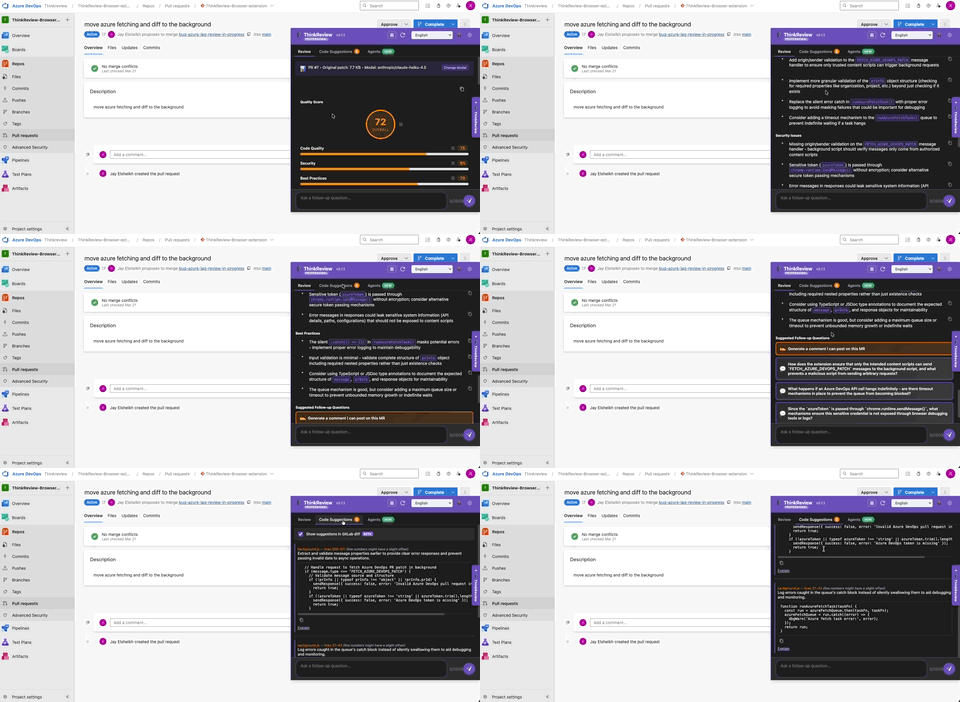
I really focused on the Ease of Setup and to still maintain the human factor rather than auto posting bot
Setup takes less than 60 seconds without the need for any coding or integration with CI
It doesn’t spam your PR with Bot comments which will clutter your PR
You won’t need to leave your azure PR page , change tabs or tools
Supports legacy Azure on premise formely known TFS down to 2016
How It Works
Here’s what happens behind the scenes:
Install the ThinkReview extension from the Chrome Web Store or Firefox
For Azure DevOps Cloud:
Open any dev.azure.com or visualstudio.com pull requests
Extension auto-detects it (no extra steps required)
Review appears in your sidebar
- For On-Premise/Custom Domains:
Add your Azure DevOps domain in extension settings
You will need to also add a PAT
Open a PR on that domain
Works exactly the same way
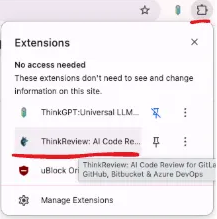
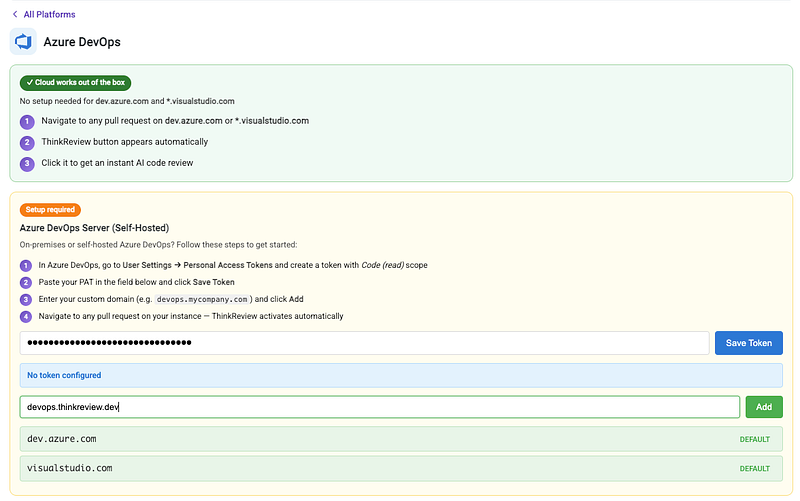
The review appears directly in the PR — without leaving Azure DevOps.
Try It Out
Install from Chrome Web Store:
👉 ThinkReview: AI Code Reviews for Azure DevOps
Firefox users:
